
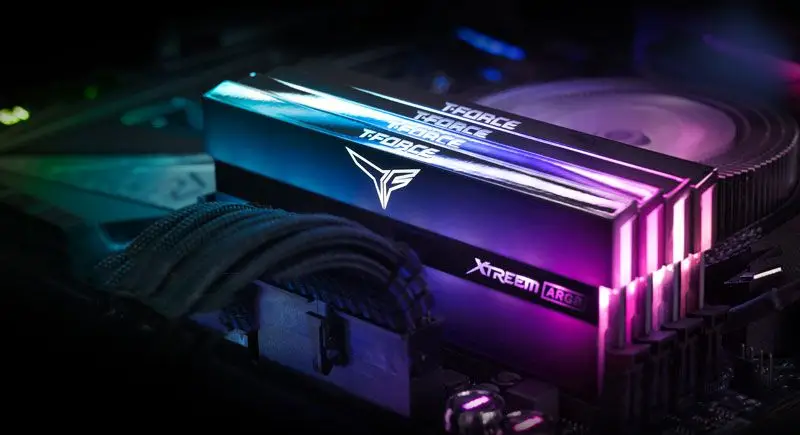
You're sat there with parts lists open, budget spreadsheet open, and the same question staring back at you - "Do I really need 32GB?"
Meanwhile, your browser has 37 tabs, Discord is chewing away, and Windows is doing its usual background ballet. You'd think RAM was the easy bit. It never is.
Short answer: 16GB is the minimum, 32GB is the sweet spot
In 2026, I'd call it like this:
- 8GB: only if it's a very light-use office machine (and you're trying to squeeze a budget)
- 16GB: minimum for a sensible gaming + everyday PC
- 32GB: the "buy once, stop thinking" option for most people building in Sheffield this year
- 64GB+: for heavy creators, big modpacks, and serious multitasking (or you just like living on the edge)
What affects the cost - and what you actually get at each tier
RAM price swings with capacity and speed, sure. But what you're paying for is less "faster RAM" and more "less waiting for the drive." When your PC runs out of memory, it starts using the page file on SSD/HDD. That's fine until it isn't. (A dog that sheds for a living - that's what swapping feels like. Constantly annoying.)
Still not working? We fix these issues daily - fast, affordable, and no guesswork.
Get it fixed today →8GB - the "it boots" tier
8GB can work for basic stuff in 2026: web browsing, office docs, a bit of light media. But even then, it's usually the first place you'll feel pain - especially with modern browsers, overlays, and background apps.
16GB - the reasonable baseline
This is where most people should land for gaming and general use. Most games don't just "need 16GB" on paper - they want enough headroom for your OS, launcher, Discord, and whatever else you've left running.
In a custom build, 16GB is also the point where you can comfortably use your PC without constantly closing things like you're managing a hamster cage.
32GB - the sweet spot for real life
32GB is where things get noticeably calmer. You're less likely to see stutters from memory pressure, and it's easier to run:
- A game plus a browser with a bunch of tabs
- Background recording/streaming tools
- Discord + launchers + utility apps without feeling it
And if you dabble in creation - Photoshop, Premiere, Blender, audio projects - 32GB can be the difference between "works" and "works without you staring at a spinning wheel."
64GB - for creators and heavy modders
64GB is still niche compared to 32GB, but it's absolutely justified for:
- Large video projects and effects-heavy editing
- Virtual machines (Windows + Linux guests, dev environments)
- Massive modpacks, heavy simulation workloads, or lots of multitasking
For typical gamers, 64GB is often "nice to have" rather than "needed." For some people though? It's genuinely the right tool.
What's worth paying extra for
Here's where I tell people to spend a bit more, without going mad.
Pay for the capacity you'll still appreciate in 12-24 months
If you're building in 2026 and you want it to feel good for a while, 32GB is the safest bet for most setups. It's not just about today's games - it's about tomorrow's patches, bigger textures, and the usual "one more app" lifestyle.
Prioritise stable dual-channel (and good compatibility)
Don't treat RAM like Lego. Mixing kits can be fine, but it can also turn into troubleshooting at 11pm - the "why is my PC booting slower now?" kind. In most custom builds, 2 sticks (dual-channel) with a known-good kit is the boring answer. Boring is good.
DDR5 is usually the sensible modern choice (if your platform supports it)
If you're on a newer motherboard, DDR5 is the standard. The benefit isn't magic performance - it's that you're buying into the platform you'll keep using. For builders in South Yorkshire, this is typically the route anyway.
What's not worth paying extra for
Money is tight. So let's not burn it on stuff that doesn't move the needle for your use case.
Overpaying for tiny speed gains you'll never notice
Going from decent RAM to "top-bin" RAM can be a lot of extra cash for modest real-world gains. Unless you're benchmarking, competing, or doing memory-sensitive workloads, it's usually not the smartest spend.
Buying 64GB when you don't have the workload
If you're mostly gaming at 1080p/1440p and doing normal browsing, 64GB often won't make your frames jump. You'll just have expensive RAM sitting there like a spare tyre you never use.
Filling every slot without a plan
Some motherboards get picky with populating all slots, especially with higher speeds. If you might upgrade later, plan the layout now. It's like tyre choice - ignore it and you'll be back in a shop asking why it rides like a shopping trolley.
Common mistakes when buying RAM in this category
- Buying capacity based on what your current PC has - not what your next build needs
- Assuming "more RAM = faster computer" - it's more like "less waiting"
- Forgetting that browsers have grown teeth (tabs, extensions, web apps)
- Mixing RAM kits and then blaming the CPU when it doesn't behave
- Chasing speed over stability - XMP/EXPO profiles can fail if the kit isn't a good match
And yes, we've seen the classic: someone buys shiny RAM, it boots, then later it randomly crashes under load. Usually it's not "random." It's just the RAM being temperamental with the rest of the system. Computers are dramatic like that.
Final takeaway (honest recommendation)
If you're building a custom PC in 2026 and you want the sensible middle-ground: get 32GB. It's the "don't think about it later" option for gaming, everyday use, and most creation work.
Go 16GB if budget is tight and you're happy to tweak your habits (close tabs, don't run five things at once). Go 64GB if you're genuinely doing heavy editing, virtual machines, or big simulation/modding workloads.
Sheffield WebTech can sanity-check your parts list too - because the best build is the one that doesn't need you to become a part-time troubleshooting YouTuber.
Frequently Asked Questions
How much RAM do I need for everyday use in 2026?
For browsing, emails, and office stuff, 16GB is a comfy sweet spot in 2026. If you want it to feel extra smooth with lots of tabs open, 32GB is even better.
Is 8GB RAM enough for gaming in 2026?
8GB can feel tight in 2026, especially with newer games and background apps running. Most people will be happier with at least 16GB for smoother performance.
How much RAM do I need for video editing or photo editing?
If you're doing serious editing, 32GB is a solid starting point because it helps with bigger timelines and high-res files. For lighter editing, 16GB can work, but you'll notice slowdowns sooner.
Does upgrading RAM actually make my laptop faster?
It can, but only if your current RAM is getting maxed out. If your system is swapping to disk a lot, adding more RAM usually makes everything feel quicker and more responsive.


0 Comments
Leave a Comment