
You hit update on your PS5, you make a brew, and then - nothing. No progress bar. Or worse, it starts, then throws an error and boots you straight back to the home screen.
It's usually one of the usual suspects: Wi-Fi being temperamental, the console stuck in a loop, or an update file that's having a bad day. (And yes, I've seen more "it's the internet" fixes than "it's the update" ones. Humans love blaming the wrong thing.)
What the fault usually means
"PS5 won't update" can mean a few different things, depending on what you see.
- It hangs on "Checking for update" - often a network/DNS issue, or a temporary server hiccup.
- It downloads then fails - usually a corrupted download or insufficient storage space.
- It says the system software update can't be installed - that can point to an unstable connection or the console not liking the update method.
- It loops after restarting - sometimes software cache issues, sometimes the update package is incomplete.
Most of the time, it's not the PS5 "breaking". It's more like it's refusing to cooperate until something basic is sorted out first.
Simple checks to try first
Before you start poking around with anything fancy, do these. They're fast, and they fix a surprising amount of PS5 update drama.
- Check storage space. Go to Settings - System - Storage and make sure you've got room for the update (and a bit extra, not just the bare minimum).
- Restart the PS5 fully. Not rest mode - a proper power off and back on. Rest mode can keep old network sessions hanging around like a bad smell.
- Test your connection. If you're on Wi-Fi, try the same console on a different network if possible. Or - if you can - use an Ethernet cable for the update.
- Turn off VPN/filters. If you've got any router security settings, parental controls, or a VPN on your network, temporarily disable them and try again.
- Clear the download queue. If it's part-way through a download, cancel it and start the update again from scratch.
💡 Tip - if the update keeps failing, try updating at quieter times. PSN servers can be fine, then suddenly not. The console isn't "broken", it's just getting inconsistent responses.
Deeper causes if the simple checks don't work
If the easy stuff doesn't shift it, the cause is usually one of these. This is where you start thinking "cache", "corrupted download", or "system software not playing nice".
1) DNS and router weirdness
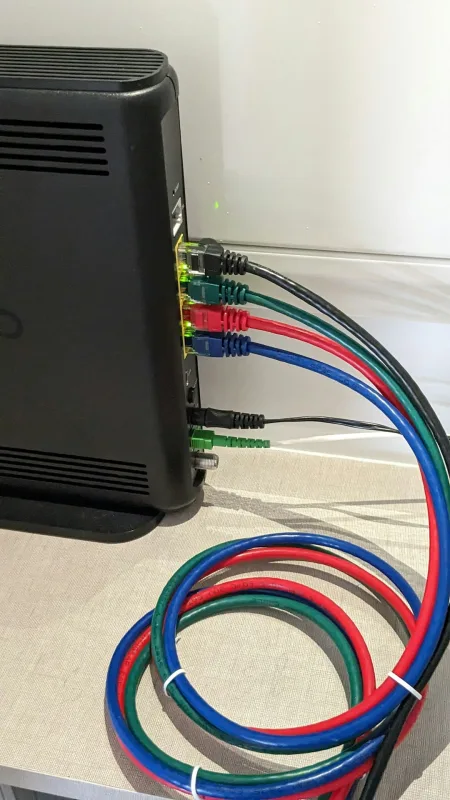
Sometimes the PS5 can connect to the internet, but can't reliably reach the update endpoints. Changing DNS settings (or using the router's default DNS) can help.
- Try a different DNS method if you've changed it before.
- Reboot your router (power off for 30 seconds, then back on). Yes, really. Routers get stuck.
- If other devices on the same Wi-Fi update fine, it points more towards the PS5 network settings.
2) Corrupted update files
If the download completes but installation fails, the update package might be incomplete or corrupted. Cancelling and re-downloading from scratch is the usual fix. If it keeps happening, switching update method can work.
- Use a wired connection for the download.
- If needed, update using a USB method (download the correct file on a PC, then install via the PS5 update option).
(USB updates are great until someone formats the USB wrong. I say this with love. Back up the USB first.)
3) System software cache issues
Occasionally the console gets stuck with "old" downloaded data or a software state that won't clear itself. That's when troubleshooting steps that rebuild internal caches can help.
- Power off properly, then try again after a minute.
- If you've recently used it in a weird state (power cut, crash, update interrupted), cache issues become more likely.
4) The PS5 storage drive or filesystem is struggling
If the PS5 update keeps failing at the same step, or you notice general slow behaviour, storage problems can be involved. The console may still boot, but updates are picky.
- Repeated update failures despite fresh downloads can suggest a storage fault.
- If the PS5 has been dropping out, freezing, or erroring more often lately, it's worth getting checked.
What not to do while troubleshooting
There are a few things that turn a solvable problem into a bigger one. Don't do these.
- Don't keep re-trying the same update method in a tight loop. Give it time, or switch approach.
- Don't pull the power mid-update. I know it's tempting - especially when it's stuck - but it risks corrupting the system.
- Don't format random USB drives you "think will work". The PS5 is picky about format and folder structure.
- Don't ignore repeated error codes. They're not just drama. They're clues.
If you're wondering whether a step is safe - stop and ask. Sheffield WebTech sees this stuff every week, and we'd rather you avoid a preventable mess.
When it needs professional repair
If you've tried the basic checks, re-downloaded, switched networks (or used Ethernet), and even attempted update via USB - and it still fails - it's time to get it looked at properly.
Professional help is especially sensible if:
- The PS5 shows update errors that persist across multiple attempts and methods.
- You're seeing other symptoms like random freezing, loud fan spikes, or repeated system crashes.
- The console starts failing more tasks than just updates (downloads, installs, or general storage reads).
- You suspect storage or filesystem issues - updates are often the first thing to expose them.
In the shop we'll typically test the console's update/install behaviour, check relevant components, and advise whether it's a software issue you can fix at home or something that needs hardware attention. No guesswork. Just diagnostics.
Final takeaway
A PS5 that won't update is usually network trouble or a corrupted download - not a dead console. Work through the simple checks first, then switch methods before you start forcing it.

Frequently Asked Questions
Why does my PS5 get stuck on "Checking for update"?
This is usually a network or DNS issue, or just a temporary wobble with the update servers. Try a full restart (not rest mode), then test the connection and switch to Ethernet if you can.
What should I do if my PS5 downloads the update then fails?
If it downloads and then throws an error, it's often a corrupted download or you don't actually have enough free space. Check your storage under Settings > System > Storage, cancel the download, and start the update again from scratch.
Why does my PS5 say the system software update can't be installed?
That usually points to an unstable connection or the console not liking the way the update is being delivered. Turn off any VPN or router filters/parental controls temporarily, then try the update again.
How can I fix PS5 update loops after restarting?
If it keeps looping after a restart, it can be a software cache issue or an incomplete update package. Fully power the PS5 off and on, clear the download queue by cancelling the update, and download/install again.
Related services
Need help with a PS5 won't update error?
Sheffield WebTech can diagnose why your PS5 update hangs, fails, or loops, and help you get back to gaming without the endless trial-and-error.
Contact Sheffield WebTech

0 Comments
Leave a Comment