
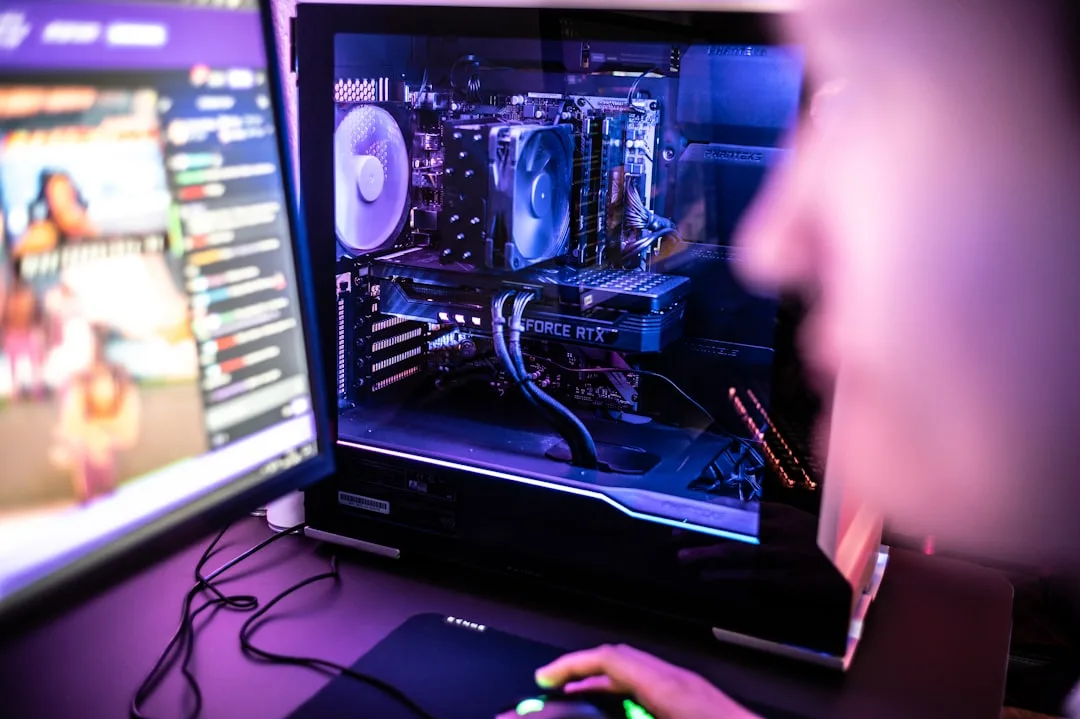
How to Build a Budget Gaming PC: A Step-by-Step Upgrade Tutorial
Building your first gaming PC doesn't have to break the bank. This guide will walk you through creating a powerful starter rig and planning future upgrades to keep you competitive for years to come.
Why Build Your Own Budget Gaming PC?
For gamers in Sheffield and across South Yorkshire, building a PC offers unparalleled value. You get more performance for your money, a deep understanding of your machine, and the flexibility to upgrade individual parts as new technology emerges or your budget grows.
A well-planned budget build can easily outperform pre-built consoles and computers in the same price range, giving you a smooth experience in popular titles like Valorant, Fortnite, and Cyberpunk 2077.
The Core Components: Your Foundation
Every PC is built around a few key components. Choosing the right ones from the start sets the stage for a smooth building experience and easy future upgrades.
1. The CPU (Processor)
The CPU is the brain of your computer. For a budget build, AMD's Ryzen 5 series or Intel's Core i3 series offer excellent performance without a high cost. Look for a model that includes a capable stock cooler to save more money.
2. The GPU (Graphics Card)
This is the most important component for gaming. The GPU renders the images you see on screen. The second-hand market can be a goldmine for budget builders in Sheffield; consider previous-generation cards like the NVIDIA GTX 1660 Super or AMD Radeon RX 6600 for fantastic 1080p performance.
3. The Motherboard
The motherboard is the central circuit board that connects all your components. Choose a model with the right socket for your CPU and features you might need later, like extra RAM slots or M.2 slots for fast SSDs. A B550 (for AMD) or B660 (for Intel) chipset is a great budget-friendly choice.
4. RAM (Memory)
16GB of DDR4 RAM is the sweet spot for modern gaming. It's affordable and provides plenty of headroom for games and other applications running in the background. Aim for a speed of 3200MHz for AMD systems or 3000-3200MHz for Intel.
5. Storage (SSD)
An SSD (Solid State Drive) is non-negotiable for a modern PC. It drastically reduces load times. A 500GB or 1TB NVMe M.2 SSD is ideal for your operating system and favourite games.
6. The PSU (Power Supply Unit)
Never cheap out on the PSU. A poor-quality unit can damage your components. Look for a reputable brand and a 80+ Bronze certified model with around 550-650 watts. This provides enough power for your initial build and leaves room for a more powerful GPU upgrade later.
The Building Process: Step-by-Step
Take your time, be patient, and follow these steps. Building a PC is like adult LEGO—it's easier than you think!
- Prepare Your Workspace: Find a clean, well-lit area with a non-static surface. An anti-static wrist strap is a wise investment, especially if you're building on carpet.
- Install the CPU: Carefully lift the lever on the motherboard socket. Align the CPU (noting the golden triangle or marker) and place it gently into the socket. Lower the lever to secure it.
- Install the RAM: Push down the latches on the RAM slots. Align the notch on the RAM stick with the notch in the slot and press firmly on both ends until you hear a click.
- Mount the Motherboard: Install the I/O shield that came with your motherboard into the case's rear cutout. Screw the standoffs into the case, then carefully lower the motherboard onto them and secure it with screws.
- Install the Storage and GPU: Slot your M.2 SSD into its dedicated slot on the motherboard and secure it with a tiny screw. For the GPU, remove the corresponding case slot covers and press the card firmly into the top PCIe x16 slot until it clicks.
- Connect the Power Supply: Connect the 24-pin power to the motherboard, the 8-pin CPU power, and the PCIe power cables to the GPU. Then, connect power and data cables to your storage drives.
- Connect Case Cables: This is the trickiest part. Refer to your motherboard manual to connect the small cables from the case (power button, reset button, front USB, and audio) to the correct pins on the motherboard.
The Strategic Upgrade Path: Future-Proofing Your PC
The beauty of building your own PC is the ability to upgrade. Here’s the optimal order to upgrade your components as you save up, ensuring you get the biggest performance boost for your money.
Priority 1: Graphics Card (GPU)
This will give you the most noticeable improvement in gaming performance. Once you have the budget, moving up to a card like an NVIDIA RTX 3060 Ti or AMD Radeon RX 6700 XT will allow you to game at higher resolutions and detail settings.
Priority 2: Monitor
A powerful GPU is wasted on a basic monitor. Consider upgrading to a 144Hz or 165Hz monitor with a 1ms response time. The difference in smoothness, especially in fast-paced games, is transformative. Local tech shops in South Yorkshire often have great display deals.
Priority 3: Peripherals
A quality mechanical keyboard and a comfortable, accurate gaming mouse can improve your comfort and reaction times. These are relatively affordable upgrades that make every gaming session more enjoyable.
FAQs for Sheffield and South Yorkshire Gamers
Where can I buy components locally?
While online retailers often have the best prices, it's worth checking local independent computer stores in and around Sheffield. They can offer valuable advice, and you support local business. Always compare prices before you buy.
Is buying used components safe?
Yes, especially for GPUs and monitors. Look for sellers with good ratings and, if possible, test the component before purchasing. The previous generation of graphics cards often offers incredible value for money.
What is a realistic budget for a starter PC?
You can build a very capable 1080p gaming machine for between £500 and £700. This budget allows for a balanced selection of new and used parts that will provide a fantastic entry into PC gaming.
How difficult is cable management?
It seems daunting but is quite simple. Take your time routing cables behind the motherboard tray. Good cable management improves airflow, which keeps your components cooler and your system quieter. Use zip-ties to keep everything neat.
Conclusion: Your Gaming Journey Starts Now
Building a budget gaming PC is an incredibly rewarding project. You gain not just a machine tailored to your needs, but also the knowledge and confidence to maintain and improve it over time. By following this strategic build and upgrade guide, you can enjoy high-quality gaming without a massive initial investment.
Remember, the PC gaming community is vast and supportive. Don't hesitate to seek out forums and video tutorials if you get stuck. Happy building!

0 Comments
Leave a Comment