
How to Fix Overheating Issues in Consoles: A Beginner's Guide
There's nothing worse than your game freezing or your console shutting down unexpectedly right in the middle of an intense boss fight. That dreaded message or flashing red light often points to one common problem: overheating. For gamers in Sheffield and across South Yorkshire, dealing with a hot console can be a real frustration, but the good news is that it’s often a problem you can fix yourself. This guide will walk you through the simple steps to cool down your PlayStation, Xbox, or Nintendo console and get you back to gaming safely.
Why Do Consoles Overheat?
Before we dive into the fixes, it helps to understand why overheating happens. Consoles are powerful computers, and like any computer, they generate heat when running demanding games. They have an internal cooling system—usually a fan and heat sinks—to draw this heat away from the sensitive components. Overheating occurs when this cooling system can't keep up. Common causes include:
- Dust Buildup: This is the number one culprit. Dust clogs the air vents and internal fans, acting like a thick blanket that traps heat inside.
- Poor Ventilation: Placing your console in an enclosed media cabinet or too close to a wall restricts airflow.
- Long Gaming Sessions: Pushing the hardware for hours on end generates sustained heat.
- Environment: A hot room, especially during a rare Sheffield heatwave, makes it harder for the console to cool itself.
- Old Thermal Paste: In older consoles, the thermal paste that helps transfer heat from the processor to the heat sink can dry out and become less effective.
Immediate Steps to Take When Your Console Overheats
If your console feels unusually hot, is loud, or has shut down, follow these steps immediately:
- Turn it Off: Power down the console completely. Do not just put it in rest or sleep mode.
- Unplug It: Disconnect the power cable from the back of the console to ensure it's off and safe to handle.
- Let It Cool: Move the console to a cool, well-ventilated area and leave it for at least an hour. Do not try to cool it down rapidly with a fan or, worse, place it in a refrigerator—this can cause condensation and serious damage.
- Check for Blockages: Once it's cool, visually inspect the air vents for any obvious obstructions.
Preventative Measures to Keep Your Console Cool
Prevention is always better than a cure. By adopting these simple habits, you can significantly reduce the risk of overheating.
1. Give It Space to Breathe
This is the most critical step. Your console needs room to expel hot air and draw in cool air.
- Avoid Enclosed Spaces: Never place your console inside a closed cabinet. If you must, ensure the back is completely open and consider a small USB fan to aid circulation.
- Follow the Rule of Thumb: Leave at least 4-6 inches (10-15 cm) of clear space on all sides, especially the back and sides where the vents are usually located.
- Keep It Horizontal (if recommended): Some consoles, like the PlayStation 5, are designed for vertical placement, but others may have better airflow when horizontal. Check your manual.
2. Regular Cleaning is Key
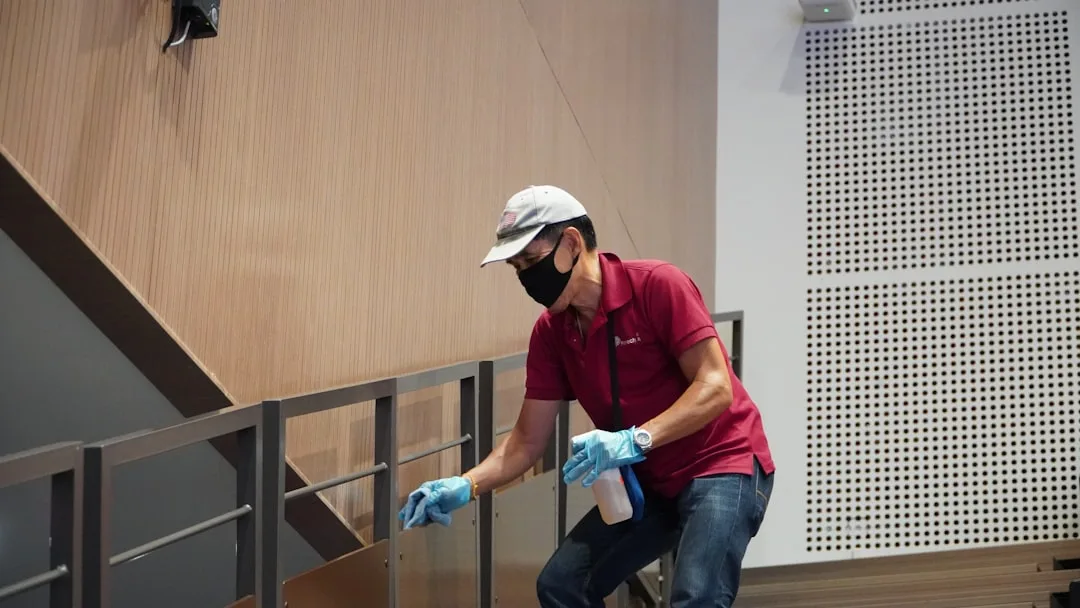
Dust is your console's enemy. A regular cleaning schedule can work wonders.
- Exterior Vents: Every week or two, use a dry, soft microfiber cloth to wipe the exterior vents.
- Compressed Air: Every 3-6 months, use a can of compressed air to blow dust out of the vents. Hold the can upright and use short bursts. Doing this outside or over a bin is a good idea to avoid making a mess in your living room.
3. Mind the Environment
Where you live and play matters. In South Yorkshire, our homes can get quite warm, so be mindful of room temperature.
- Avoid Direct Sunlight: Don't place your console in a spot where it will be heated by the sun.
- Room Temperature: Try to keep the room where you game reasonably cool. A well-ventilated room is best.
- Keep It Off the Carpet: Placing a console on a thick carpet can block bottom vents and act as a dust magnet. Always use a hard, flat surface.
A Step-by-Step Cleaning Guide for Beginners
If your console is already running hot, a more thorough cleaning might be necessary. Warning: Opening your console may void its warranty. Only proceed if you are comfortable and your warranty has expired.
What You'll Need:
- A can of compressed air
- A set of screwdrivers (specific to your console model)
- A soft-bristled brush (like a makeup brush)
- Microfiber cloths
- A well-lit, static-free workspace
The Cleaning Process:
- Power Down and Unplug: Ensure the console is completely off and disconnected from all power sources.
- External Cleaning: Use your compressed air to blow dust out of all external vents. Hold the console vertically so the dust falls out.
- Open the Casing (Advanced): If you feel confident, look up a specific teardown guide for your console model online. Carefully remove the outer casing to access the internals.
- Internal Blow-Out: Using short bursts of compressed air, carefully blow dust off the fan blades, heat sinks, and motherboard. Hold the fan still with a finger to prevent it from spinning too fast, which can damage it.
- Brush Gently: Use the soft-bristled brush to dislodge stubborn dust clumps.
- Reassemble: Carefully put the console back together, ensuring all panels are securely fastened.
For those in Sheffield who are not comfortable opening their console, consider seeking help from a local tech repair shop specializing in gaming hardware for a professional clean.
Console-Specific Tips
PlayStation 5
The PS5 has a unique design with removable side plates, making it one of the easier consoles to clean.
- You can pop off the white side plates without any tools.
- The fan and one heat sink are accessible once the plates are off, allowing for easy dusting with compressed air.
- The vacuum cleaner port is a gimmick; compressed air is much more effective.
Xbox Series X/S
The Series X is designed like a small tower PC, with a large top fan.
- Pay special attention to the top vent, which is the main exhaust.
- The bottom vents also need to be kept clear for intake.
- Opening the Series X/S is more complex than the PS5 and is not recommended for beginners.
Nintendo Switch
The Switch can overheat, especially when docked.
- Ensure the dock has plenty of space behind it for the air vent.
- Dust can accumulate in the dock's USB-C port and the console's vents.
FAQs on Console Overheating
Can overheating permanently damage my console?
Yes, prolonged overheating can cause permanent damage to the internal components, such as the CPU and GPU, leading to graphical glitches, system failures, and a significantly shortened lifespan.
Is it safe to use a cooling fan attachment?
Most modern consoles are designed with their own cooling systems. Aftermarket cooling fans that attach to the console are often unnecessary and can sometimes draw more power from the console than intended, potentially causing more harm than good. It's better to improve the console's environment first.
My console is still overheating after cleaning. What now?
If you've tried all the preventative measures and your console continues to overheat, the issue could be more serious. The internal thermal paste may need replacing, or a fan might be failing. At this point, it's best to contact the manufacturer (if under warranty) or a reputable local repair service in the South Yorkshire area.
Conclusion: Game On, Cool and Calm
Dealing with an overheating console doesn't have to be a nightmare. By understanding the causes and implementing a routine of good ventilation and regular cleaning, you can protect your investment and ensure countless hours of uninterrupted gaming. Remember, a little preventative maintenance goes a long way. Now that you're armed with this knowledge, you can keep your cool even when your console is working its hardest.

0 Comments
Leave a Comment